Re: 217th Show & Tell Competition: TreatmentsNov 29, 2011 · 20:13 UTC
The San Francisco Embarcadero lights at night with Photoshop's filter "accented edges."
Photo 76770672
The Ferry Building on the Embarcadero with PS's filter "watercolor."
Photo 76770671
The Howard Street lights "painted" with camera and edited with PS filter
Photo 83355235
217th Show & Tell Competition: TreatmentsDec 1, 2011 · 14:09 UTC
I processed this picture with Paint Shop Pro.
It’s composed of different elements assembled through work on layers
At the end I used a free plugin filter called Xero Bad dream,
but I used it selectively and reducing its intensity always working on layers.
Photo 123573913
For this picture I used the effect “Balls & Bubbles” of Paint Shop Pro.
And always from Paint Shop Pro, the illumination effect “Sunburst”.
All the rest was not based on any already made plug-in, but on my personalized treatment on the photo.
Photo 91317542
Actually I didn’t use any specific plug-in here
(I don’t use already made plug-ins too often, I prefer to play on my photos creating the effects I want “from scratch”)
So I’m not sure this picture can have the necessary features to be posted here.
I used two different background textures, blended in different blending modes and I reduced the opacity of the layers selectively.
Then I applied Photoshop correction tool “vibrancy” .
Photo 139507971
Re: 217th Show & Tell Competition: TreatmentsDec 1, 2011 · 20:51 UTC
I am not really into 'treatments' per sé, but last January (2010) I took a few macro images of window frost on my car side window; shooting from inside - out. I liked the effect but the macro mode really picked up a multitude of scratches and lots of dirt specks on the window. The only software I was using at the time was Picasa (used to compensate my camera settings for saturation, contrast, sharpness and NR that are always set on low). Picasa doesn't have a clone tool; so how to fix the images.
I loaded the images in windows XP ver. of MS Paint (free with most all MS OS's) and performed a very labor intensive (4 to 6 hours per image) using a 'cut and paste' process, then saving them in tif format out of ms Paint. I then loaded them to Picasa that can read tif format, so when it saves the images, it converts them to jpg format and thus initially no file loss due to compression.
[I have recently begun using the free FastStone Image Viewer ver 4.5 that has a "clone' and 'healing' tool which should really cut the labor down if I ever get back to the rest of the images taken that day.]
Photo 124081001
This image is clickable for a larger view.
Photo 124081000
This image is clickable for a larger view.
Photo 124080999
This image is clickable for a larger view.
Re: 217th Show & Tell Competition: TreatmentsDec 2, 2011 · 17:27 UTC
Photo 132287437
Chicago on Ice: I used Topaz Adjust; Specify
Photo 131937711
Chicago: This image was shot with a 10 stop ND filter and Topaz Adjust; Specify
Photo 83021216
Great Wall of China: The Orton Effect; a manual procedure in photoshop. Link to article below.
http://www.naturephotographers.net/articles0106/dw0106-1.html
The Orton Effect is named after Michael Orton who first used the technique is a sandwich of two images, one in focus the other out of focus. Freeman Patterson and Andre Gallant have both used the technique successfully in their work as well.
 Photo unavailable
 Photo unavailable
 Photo unavailable
 Photo unavailable
 Photo unavailable
 Photo unavailable
 Photo unavailable
 Photo unavailable
 Photo unavailable
 Photo unavailable
 Photo unavailable
 Photo unavailable
 Photo unavailable
 Photo unavailable
 Photo unavailable
 Photo unavailable
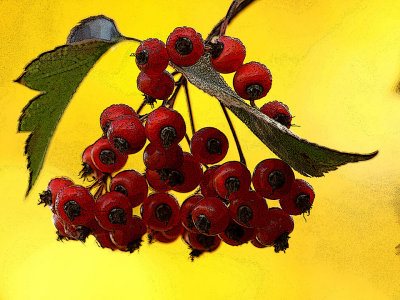 Photo unavailable
 Photo unavailable
 Photo unavailable
 Photo unavailable
 Photo unavailable
 Photo unavailable
 Photo unavailable
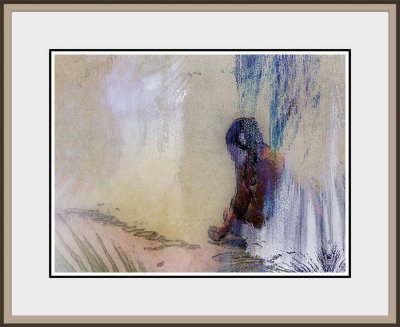 Photo unavailable
 Photo unavailable
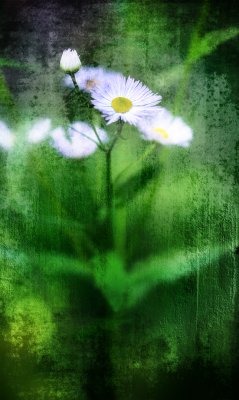 Photo unavailable
 Photo unavailable
 Photo unavailable
 Photo unavailable
 Photo unavailable
 Photo unavailable
 Photo unavailable
 Photo unavailable
 Photo unavailable
 Photo unavailable
 Photo unavailable
 Photo unavailable
 Photo unavailable
 Photo unavailable
 Photo unavailable
 Photo unavailable
 Photo unavailable
 Photo unavailable
 Photo unavailable
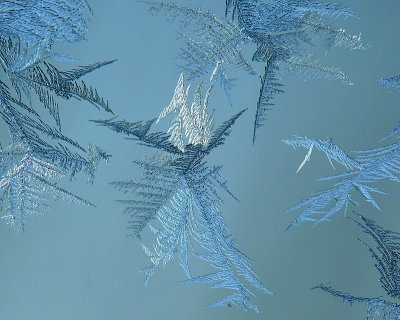 Photo unavailable
 Photo unavailable
 Photo unavailable
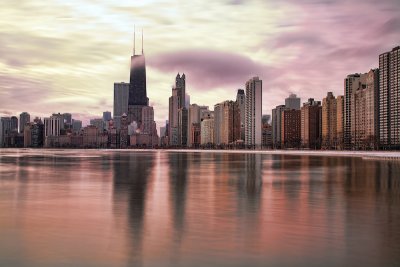 Photo unavailable
 Photo unavailable